Create an Admonition
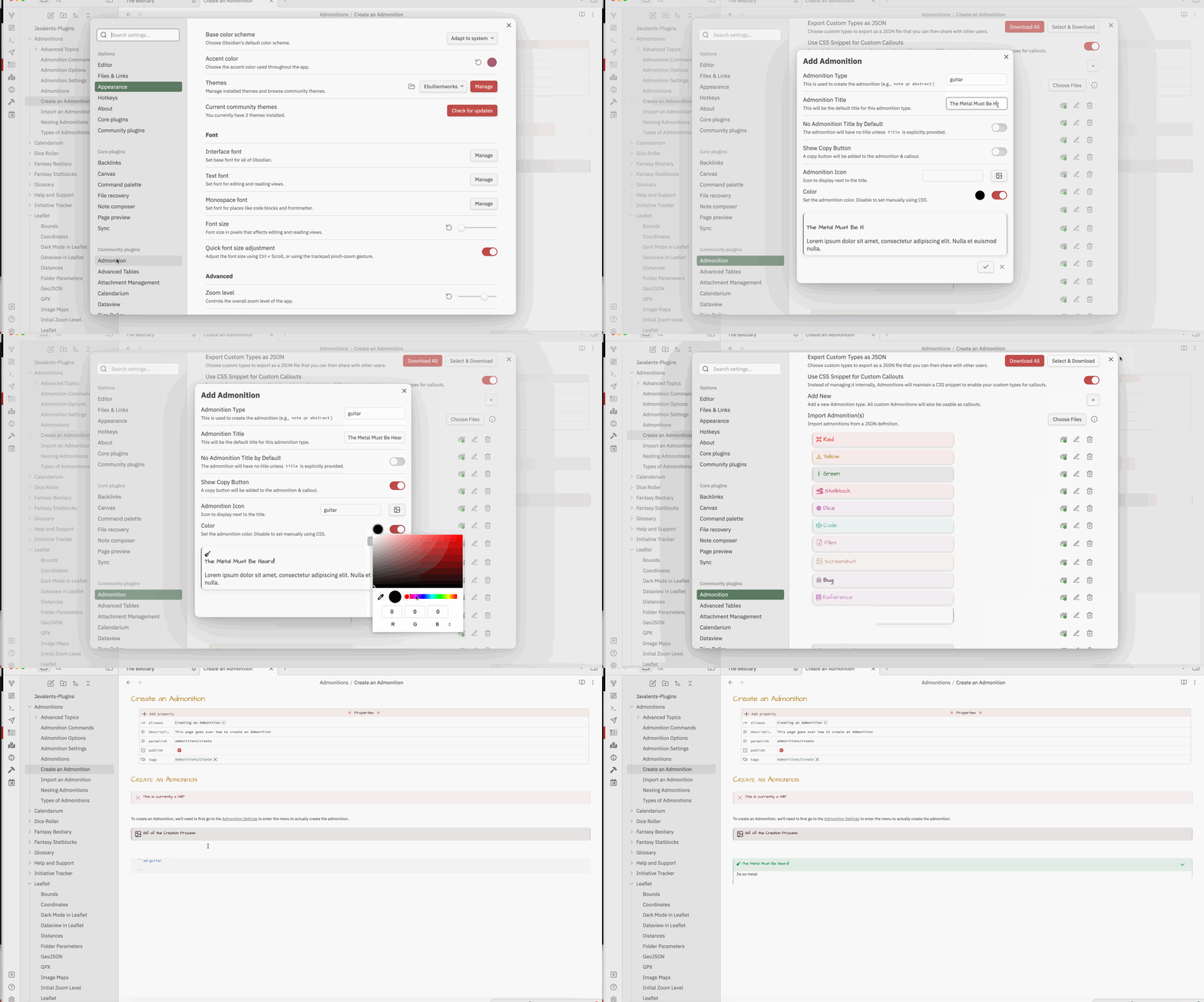
To create an Admonition, navigate to the Admonition Settings.
Gif of the Creation Process
Steps
Permalink- Navigate to Obsidian's Settings.
- Select Admonitions from the Plugin List.
- Select Add New from the first set of options in Settings.
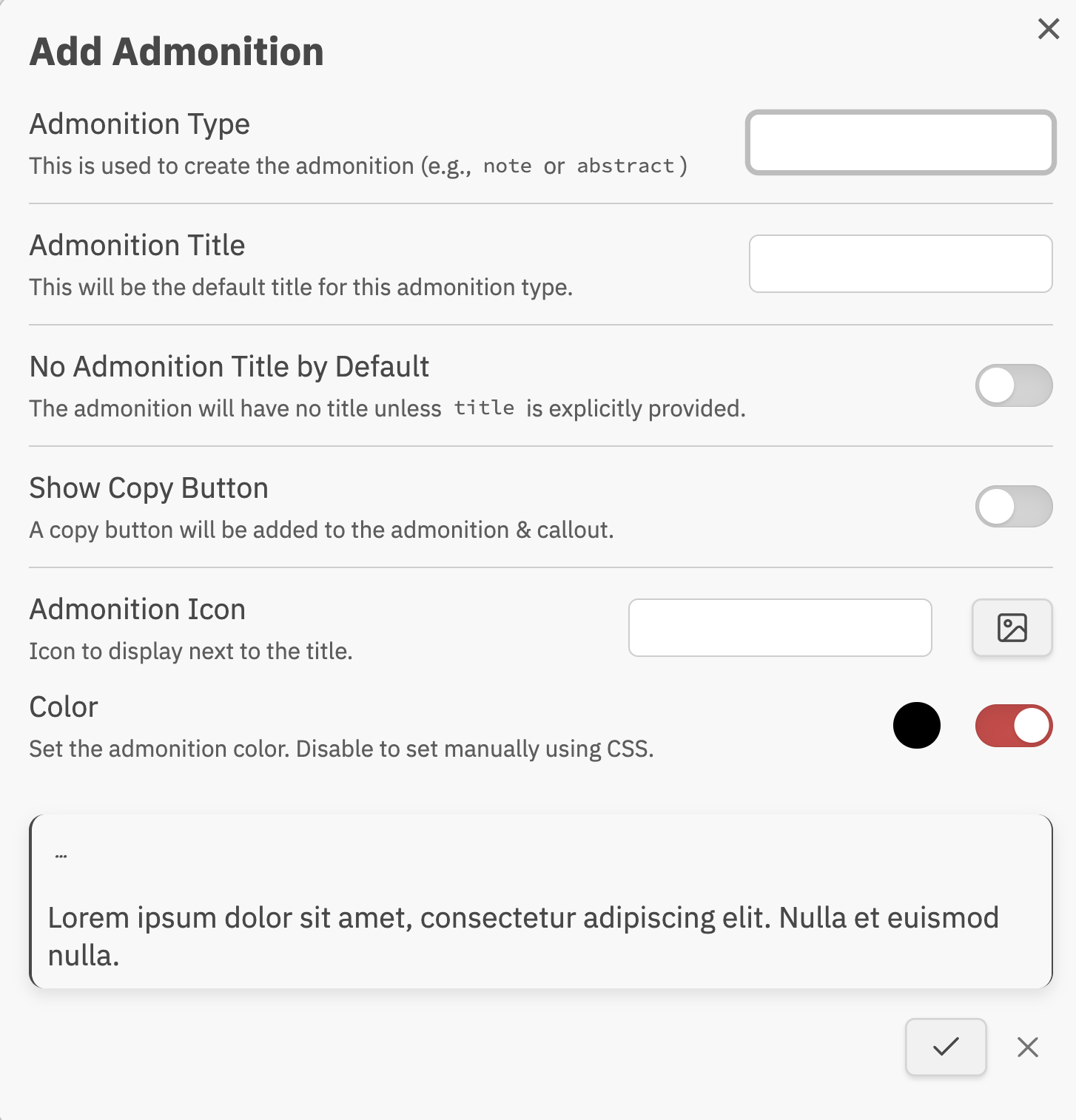
- In the new window that opens:
- Enter an Admonition Type. This will be the name used in code blocks (
```ad-type) and callouts (> [!type]). - (Optional) Choose a default title shown when no
title:parameter is given. - Toggle No Title mode. When enabled, the admonition renders without a title bar unless you explicitly define
title:in the code block. - Toggle the copy button. When enabled, a copy action appears in the top-right corner of the admonition content.
- Toggle Style This Admonition with CSS. When enabled, the plugin skips auto-generating CSS rules for icon and color for this type — icon and color are left entirely to your own CSS snippet.
- The icon field is ignored. Any icon set here will not be applied.
- The color picker is disabled; set color in your CSS snippet instead.
- This is the recommended approach for custom images (PNG, etc.), since image icons only work in codeblock mode, not callout syntax. A CSS snippet using
--callout-iconworks consistently in both.
- When Style with CSS is off, choose an icon for this admonition type. You can type an icon name or select one from the included icon packs (see Icon).
- When Style with CSS is off, set a color with the picker.
- The picker is only active when Set Admonition Colors is enabled globally in plugin settings. If that setting is off, color is controlled entirely via CSS for all admonition types.
- Enter an Admonition Type. This will be the name used in code blocks (
Screenshot of Popup Window